Free preview
Progress-claim reminder system
Sample pages from the full ~24-page guide · S$79 one-time · Singapore subcontractors
What you get in the full guide
- Claim register spreadsheet template (Google Sheets)
- 4-stage email + WhatsApp message set (friendly → firm)
- SOPA date checklist (alerts only — not legal filing)
- Setup with Gmail or Outlook drafts
- A few evenings after work to set up
Table of contents
- Who this is for
- What you need before you start
- Build the claim register (sample below)
- Wire SOPA and retention date alerts (sample below)
- Load the four reminder stages
- Connect email drafts (sample below)
- WhatsApp text pack
- Weekly digest view
- Go-live checklist
- Troubleshooting
Sample 1 · Build the claim register
Open a new Google Sheet. Name it Claim register. Create these columns in row 1, then add one row per unpaid progress claim or retention release.
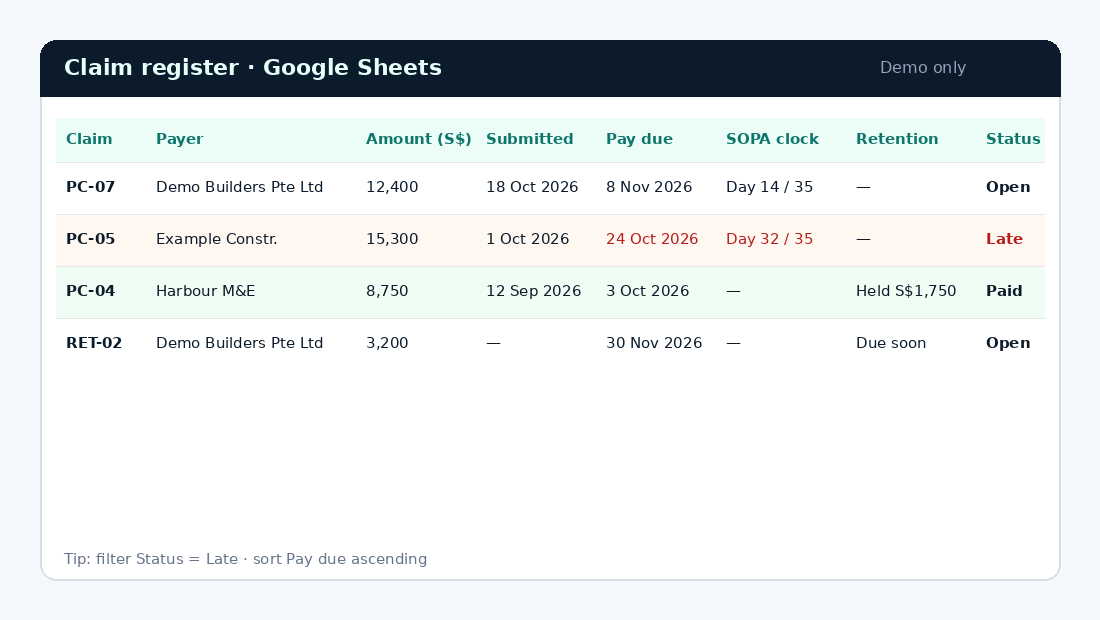
Keep dates as real date values (Format → Number → Date). Status is a short list: Open, Late, Paid, Disputed, Pause.
In the full guide: named ranges, filter views for “due this week”, and how to hand the sheet to Seikumi later if you upgrade to done-for-you.
Sample 2 · Stage 2 email draft
Each stage is a ready text you paste into Gmail or Outlook as a draft. You review and send from your mailbox — Seikumi never sends for you on the DIY guide.
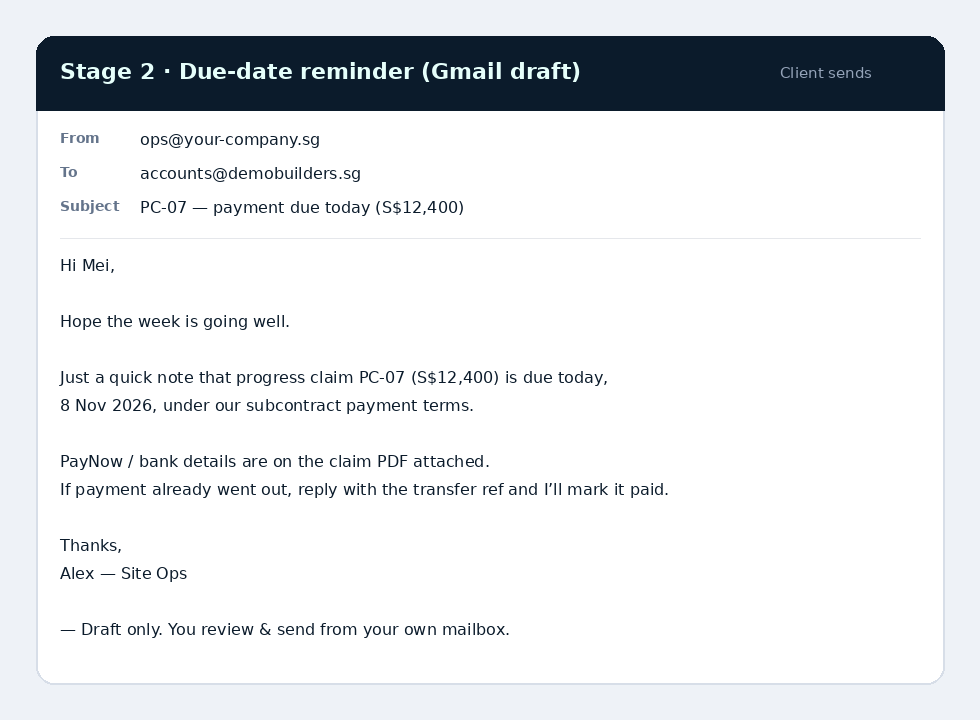
Full guide also includes the WhatsApp versions of all four stages, plus a short note on when to pause (dispute, variation, payment promised).
Sample 3 · SOPA clock (alerts only)
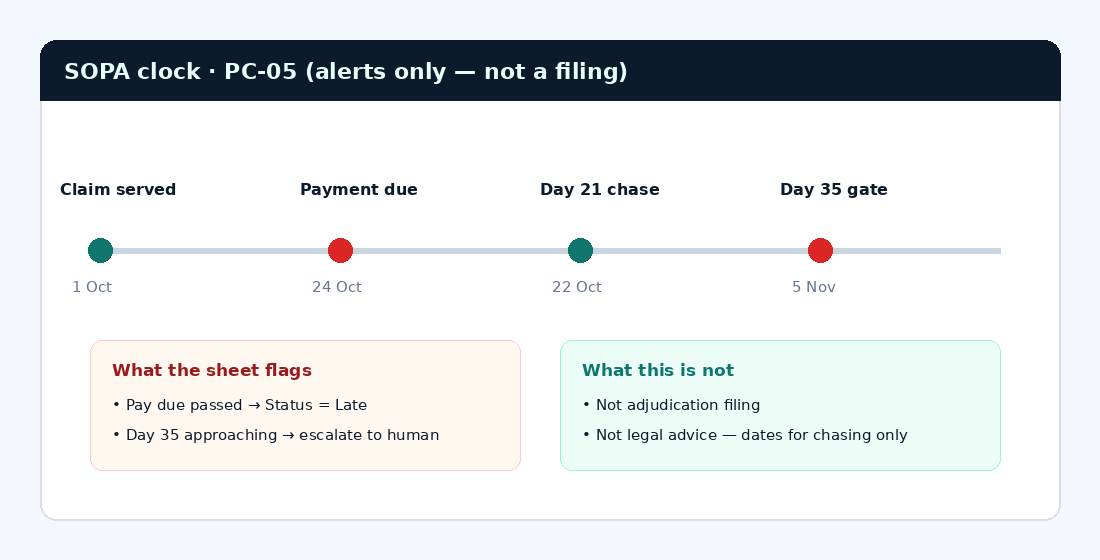
The sheet counts days from claim served / payment due so you see when a chase is due. This is not adjudication filing and not legal advice — dates for chasing only.
Support: Stuck on a step? Email hello@seikumi.com — I usually reply within 1 business day. — Mark, Seikumi
Get the guide · S$79 Prefer done-for-you?
Questions: hello@seikumi.com